MyPerfectResume Builder
- 4.0
- Rating
- 100.00K
- Installs
- Free
- Price

 Analysis by App-foxy
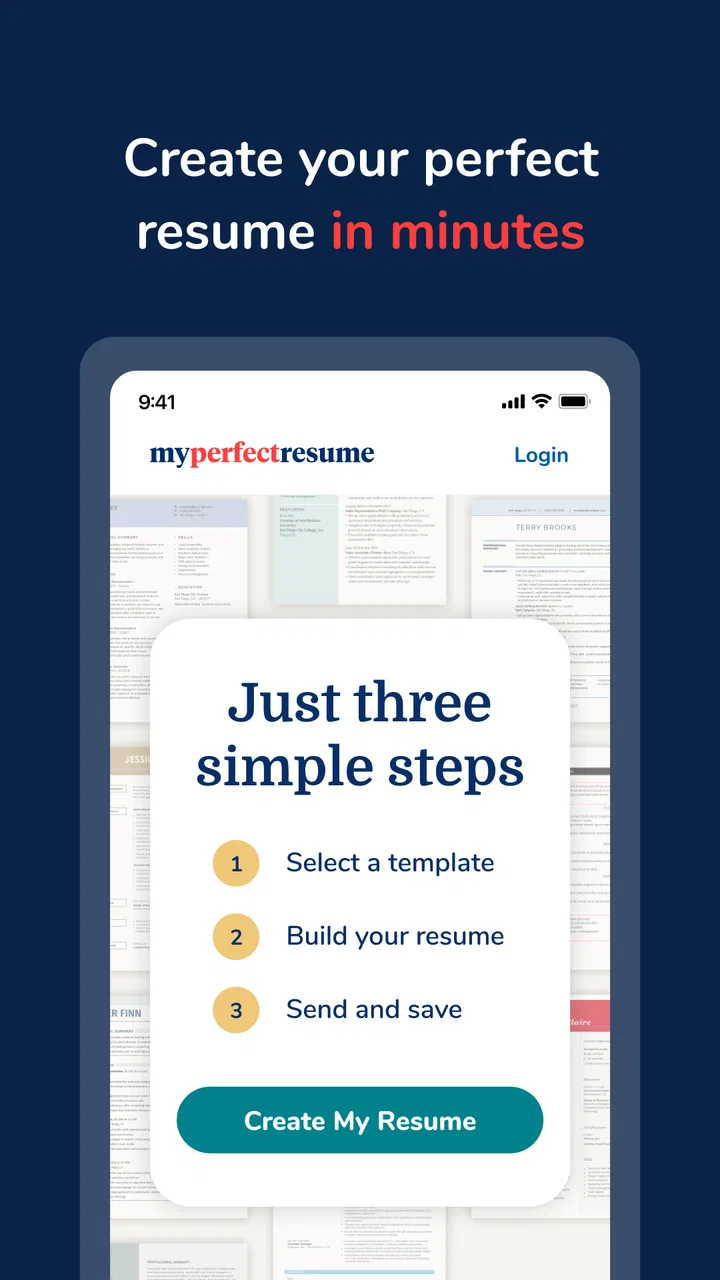
I approached MyPerfectResume Builder as a practical job-search tool rather than a simple document editor. Its purpose is clear: help you turn your work history into a resume that looks organized and ready to send. That makes it especially relevant when you are applying for several roles, returning to work after a break, or unsure how to present experience that feels ordinary on paper.
The app sits in the business category and is developed by BoldGoogleApps. It is free to install, carries an Everyone age rating, and has reached over 100 thousand installs. Its average score is 4.0 from around 5 thousand ratings, which suggests a generally positive reception without making it look universally perfect. After spending time with it, I can understand that balance: it is approachable and useful for getting started, but the quality of the final resume still depends heavily on the information and choices you bring to it.
How the current version feels in everyday use
The current release is version 2.0.8, and the app supports devices running Android 7.0 or later. In practical terms, that makes it accessible to people using older Android phones, not just recent models. I see that as a meaningful advantage for jobseekers who may not have a new device or a large amount of storage available.
You May Also Like

 Blood Strike: 2.5 Anniversary
Blood Strike’s Loadouts Turn Every Drop Into a Tactical Gamble
A close look at Blood Strike’s custom loadouts: how fast access to signature weapons reshapes its battle royale rhythm, rewards preparation, and narrows the gap between fights.

 Pandora - Music & Podcasts
Pandora’s Music Is Easy to Start, but Harder to Recover
Pandora’s strength is its low-effort path from a seed to a station. Its weak spot is how much confidence it asks you to place in connection, setup, and quiet recovery.

 8 Ball Pool
8 Ball Pool Is Built on Rivalries, Rematches, and Routine
A close look at the rivalries, rematches, shared routines, and unanswered safety questions that turn a quick pool match into a persistent mobile community.

 Samsung Music
Samsung Music’s Quiet Strength Is Playing What You Already Own
Its reach comes less from spectacle than from dependable access to a personal library. That simplicity is both the app’s strongest retention engine and its ceiling.

 AccuWeather: Weather Radar
AccuWeather Review: A Quick, Clear Forecast for Everyday Decisions
For everyday plans, the best forecast is the one you can understand quickly. AccuWeather makes rain timing, radar, and local conditions easy to act on, with a few trade-offs.

 Hill Climb Racing
Why Hill Climb Racing Still Turns Crashes Into One More Run
A tiny car, a bumpy hill and one more upgrade: Hill Climb Racing keeps resurfacing because its simple chaos makes every near-miss feel personal.
More From Our News Desk



The first thing I appreciated was the app’s focused purpose. It does not ask me to learn a full design suite before I can begin. A resume builder should reduce hesitation, and this one is aimed at that exact moment when a blank page feels more intimidating than the job application itself. I could concentrate on describing my experience instead of worrying about margins, alignment, or whether the document looked unfinished.
That simplicity also defines the app’s limits. It is not the right tool for someone who wants complete control over every visual detail. If you already work comfortably in a word processor and have a carefully designed resume format, moving into a guided builder may feel restrictive. The benefit is speed and structure; the trade-off is less freedom.
A useful starting point for people who dislike blank pages
My strongest recommendation goes to first-time applicants and people who have not updated a resume in years. The builder gives those users a more manageable path through the task. Instead of trying to invent a professional document from nothing, you can think through your education, employment, skills, and achievements in separate pieces.
That approach is valuable because many weak resumes fail before the writing begins. People often list duties without explaining the result of their work, or include every responsibility they have ever had without considering the target role. A guided process can encourage better selection. I found it most helpful when treating each section as an editing decision rather than a box to fill automatically.
For example, if I were applying for an office position, I would not simply write that I answered phones. I would consider whether I handled scheduling, supported several colleagues, maintained records, or resolved customer requests. The builder cannot supply those facts for me, but it can provide a place to organize them. That distinction matters: the app helps shape the presentation, while the applicant must provide the substance.
Where the app can save time
The most practical use case is preparing a first solid version quickly and then tailoring it for a specific vacancy. I would begin with a complete base resume containing my full employment history, relevant training, and strongest skills. Then I would make a copy or revise the wording for each role, removing details that do not support that particular application.
This workflow is better than sending one identical resume everywhere. A retail application may need customer service and stock-handling examples, while an administrative role may benefit more from scheduling, accuracy, and document management. A builder is useful here because it gives me a consistent structure while still leaving room to change the emphasis.
Another realistic scenario is a sudden job search. Imagine receiving notice that a temporary contract is ending and needing to apply within the same week. I would use the app to create a clean working resume first, rather than spending hours trying to perfect the design. Once the essentials were in place, I could review every sentence against the vacancy and make sure the most relevant experience appeared early.
The best time-saving trick is to prepare one detailed master version, then shorten it for individual applications. Keeping the master document comprehensive prevents useful information from being lost, while tailored versions stop the reader from having to search through unrelated history.
What version 2.0.8 means for existing users
Version 2.0.8 is the release currently associated with the app, so existing users should treat it as the reference point when checking compatibility and deciding whether to update. I would not assume that a version number alone represents a dramatic redesign. In a resume tool, small refinements can matter more than a flashy change: smoother editing, clearer navigation, or fewer interruptions can make repeated applications less tiring.
For someone already using an earlier release, the sensible approach is to open a saved resume after updating and inspect the formatting before sending it. This is good practice with any document app. Check headings, spacing, dates, bullet points, and the final export or sharing result. A resume can look correct while editing and appear different when opened elsewhere, so I would never submit it without reviewing the final file on the device or service where it will be used.
New users do not need to understand the app’s history to benefit from it, but existing users should keep their own backup of important resume text. I recommend storing the wording separately in a secure notes app or document. That way, if I decide to change layouts, switch tools, or rewrite a section, I am not dependent on a single editing environment.
Free to install does not mean every part is cost-free
The app is free to download, but it includes in-app purchases ranging from around 24 dollars to about 71 dollars per item. That is the most important point to understand before investing time in a complete resume. I would start by exploring the available workflow and checking what I can actually finish without paying. The word “free” describes installation, not necessarily unrestricted access to every option.
This pricing structure may be reasonable for someone who needs a polished resume immediately and values convenience. It may be less attractive to a student, casual applicant, or person who can create the same document in an existing word processor. I would compare the purchase cost with the value of the specific job application, not with the general promise of improving a resume.
There is also a psychological trap worth avoiding. Once I have spent an evening entering work history, I may feel pressured to pay simply because I have already invested effort. I would make that decision only after checking the finished document, the available output options, and whether the design genuinely improves my application. Time already spent is not a reason by itself to buy.
How I would build a stronger resume with it
I would start by collecting accurate dates, job titles, company names, qualifications, and contact details before opening the builder. This reduces interruptions and prevents rushed typing on a phone. I would also gather the wording from the vacancy so I can identify the employer’s priorities while writing.
For each previous role, I would aim for evidence rather than a list of routine duties. “Responsible for customer service” is vague. A stronger entry explains what kind of customers I supported, what problems I handled, or how I contributed to the team. I would avoid inventing performance figures or achievements simply to make the resume sound impressive. Clear, truthful detail is more useful than inflated language.
The app is particularly helpful when I use it as an editor’s framework. After entering everything, I would remove repeated phrases, shorten long descriptions, and move the most relevant experience toward the top. I would also read the document aloud once. Awkward wording is easier to notice when heard, especially in personal statements and profile sections.
A less obvious but important tip is to keep formatting conservative unless the target industry clearly rewards visual creativity. A clean resume is easier to scan than one filled with decorative elements. For office, retail, logistics, healthcare support, and many entry-level roles, clarity usually matters more than originality. If the app offers attractive styling, I would choose the option that keeps headings and employment history easy to find.
Where it compares well with ordinary alternatives
The usual alternative is a blank document in a word processor. That option gives more control and may cost nothing extra if the software is already available, but it places every decision on the user. You must choose the structure, write the headings, manage spacing, and decide what belongs on the page. For an experienced applicant, that flexibility can be ideal. For a nervous beginner, it can lead to an unfinished or inconsistent result.
Another alternative is copying a resume template from the internet. Templates can provide a quick visual framework, but they vary widely in quality and may be difficult to adapt on a small screen. Some also encourage applicants to fill space with unnecessary design features. MyPerfectResume Builder is more appealing when the main problem is not creativity but knowing how to organize information.
Professional resume-writing services remain a different category altogether. A human writer may notice transferable skills or career patterns that I overlook, but that service costs more and requires sharing personal information with another party. The app makes more sense when I want control, privacy in the writing process, and a guided way to produce my own document.
For people who already have a strong resume and apply regularly, a standard document editor may be better. It makes version control, detailed tailoring, and long-term editing easier. I would choose the builder for momentum and structure, not because it replaces every other writing tool.
Limitations I would consider before relying on it
The biggest limitation is that no builder can turn thin experience into convincing evidence. If I enter generic phrases, the result may look tidy but still fail to show why an employer should call me. The app can improve presentation, yet it cannot verify whether my claims are accurate, choose the right examples, or understand the culture of a particular workplace.
Phone-based editing can also become tiring. Resumes contain dates, punctuation, job titles, and repeated revisions, and a small keyboard is not always comfortable for that work. I would use the app for assembling and reviewing content, but I would take extra time for proofreading. A missing digit in a phone number or a wrong employment date can create a more serious problem than an unattractive layout.
Cost is another possible friction point. Because purchases can reach about 71 dollars per item, I would not describe the app as an automatic bargain for every user. Someone applying to one local job may prefer a free document editor. Someone changing careers or applying repeatedly may find a guided tool more worthwhile, provided the paid result meets their needs.
I would also avoid assuming that a polished template guarantees compatibility with every employer’s hiring system. Before submitting, I would inspect the final document for selectable text, readable headings, and a sensible order. If an application portal asks for a particular format, I would follow that instruction rather than choosing the most attractive design in the app.
Who should use it, and who should skip it
I think it is a good fit for a first-time jobseeker, a person returning after a long break, or anyone who repeatedly starts a resume and never finishes. It is also useful for people who want a guided mobile workflow rather than a blank page. The Everyone rating and support for Android 7.0 or later make it approachable across a broad range of users and devices.
I would be more cautious about recommending it to professional designers, senior applicants with complex career histories, or users who need a highly customized portfolio-style document. Those people may benefit more from a full desktop editor or a carefully managed personal template. The same is true for applicants who need extensive control over multiple versions and detailed formatting.
It is also not ideal for anyone who expects the app to write a persuasive career story without active input. The strongest results come from applicants who are willing to identify relevant achievements, check every fact, and tailor the wording. If that sounds like too much work, hiring a career adviser or asking a trusted person to review the content may be a better investment than relying on any automated builder.
What I would watch as the app develops
With the current version at 2.0.8, I would watch for improvements that make the complete workflow clearer: editing, reviewing, saving, and preparing the final document for an application. For existing users, the most valuable changes would be those that reduce friction without making the builder feel crowded.
I would also pay attention to how transparently the app presents paid choices. A user should be able to understand what can be done for free, what requires a purchase, and what the finished result will include before committing. That clarity is especially important for jobseekers who may already be under financial pressure.
Finally, I would like to see the product continue emphasizing practical writing quality rather than visual decoration. The most useful evolution would help people describe transferable skills, explain employment gaps honestly, and adapt a resume to a real vacancy while keeping the process simple. Those improvements would make the app more valuable than merely adding more layouts.
My final take
MyPerfectResume Builder is a sensible starting point for people who need structure, confidence, and a mobile-friendly way to assemble a resume. I like its focused purpose and the way it can turn an intimidating blank page into a sequence of manageable decisions. For a rushed application or a first serious resume, that can make a real difference.
I would still treat it as a drafting and presentation aid, not a substitute for judgment. Read every line, remove generic claims, tailor the document to the role, and review the final version before submitting. I would also check the paid boundaries early because the in-app purchase range can change the value calculation for different users.
Overall, I would recommend trying it if your main obstacle is getting started. If you already have a strong resume, need advanced formatting, or want a completely free long-term editing system, a conventional document editor may suit you better. For everyone in between, this app offers a practical route from scattered work history to a cleaner, more usable job application—provided you remain the person responsible for the story it tells.
FAQs for MyPerfectResume Builder
01What is MyPerfectResume Builder, and what can I use it for?
MyPerfectResume Builder is a resume and CV creation app designed to help job seekers prepare professional-looking application documents without starting from a blank page. It typically provides customizable templates, guided sections, sample wording, and tools for organizing work experience, education, skills, and achievements. It can be useful for creating a first resume, updating an existing one, or tailoring applications to different job openings.
02Does MyPerfectResume Builder offer templates and writing assistance?
Yes, one of the app’s main advantages is its guided resume-building process. Users can select from different professional layouts and receive suggestions for writing descriptions of their responsibilities, skills, and accomplishments. The examples can save time and help improve wording, especially for people who are unsure how to describe their experience. However, suggestions should still be edited so the final resume accurately reflects your real background.
03Is MyPerfectResume Builder free to download and use?
The app may be available to download at no initial cost, but some templates, editing tools, downloads, or premium services can require a subscription or one-time payment. Before completing a resume or exporting it, carefully review the pricing screen, trial terms, renewal conditions, and cancellation policy. Availability and prices may vary by device, country, and the specific offer shown in the app.
04Can I export or share a resume created with MyPerfectResume Builder?
MyPerfectResume Builder is intended to help users prepare a resume that can be saved, downloaded, or shared for job applications, although the available export formats and sharing options may depend on the account or plan being used. PDF is generally the most practical format for sending to employers because it preserves the layout. Always open the exported file before submitting it to check formatting, spelling, and contact details.
05Is MyPerfectResume Builder suitable for ATS applications and different types of jobs?
The app can be helpful for creating a structured resume with clear headings and relevant keywords, which are important when applications are reviewed by applicant tracking systems. Nevertheless, no builder can guarantee that every resume will pass an ATS. Choose a simple layout when applying online, avoid unnecessary graphics or complex columns, and customize the content for each position using keywords from the job description while keeping all information truthful.
Pros
- Step-by-step builder makes resume creation approachable for beginners.
- Offers professionally designed templates for different career styles.
- Includes prewritten examples to help phrase skills and achievements.
- Resume content can be edited and rearranged quickly on mobile.
- Helpful guidance can reduce mistakes in formatting and wording.
Cons
- Many useful templates and features may require a paid subscription.
- Customization options can feel limited compared with full design apps.
- Some users may find the subscription prompts too frequent.
- Export options and document access may vary by plan or platform.
- Personal information is required
- so privacy policies should be reviewed.

MyPerfectResume Builder
Gallery